Yet another action-packed post. Or, so…
We should be able to wrap things up this time, more or less. I’m done making promises, however. First up is the shield-ground modification. This involves connecting the RC-96 shield ground for the DIN connectors as “directly” to the chassis as possible (nearest the circular opening in the chassis where the connector penetrates to the RC-96 connector). I found this to be very helpful on my FF-800 controller chassis which featured mini-DIN connectors all with a common, rectangular, opening. With that design, the connectors were encased in a metal “shield” and the top of them was easily accessible allowing a ground strap to the chassis to be easily applied.
For the RC-96, the connectors are “open-frame” and there was no explicit contact available on the top side of the PCB for the shield. With the bottom completely covered after installation into the chassis, it would be difficult to arrange a contact that can be fabricated and connected “in-the-blind”.
I reasoned that my best approach would be to use a brass strip (brass because it is solderable) bent into an angle. The shield connections for the DIN connectors are all along the edge of the PCB which simplifies things a lot. I would drill holes in the brass strip that match the connector pin locations, then bend the strip into an angle after soldering the strip to the PCB. But, this step is a bit out of order…
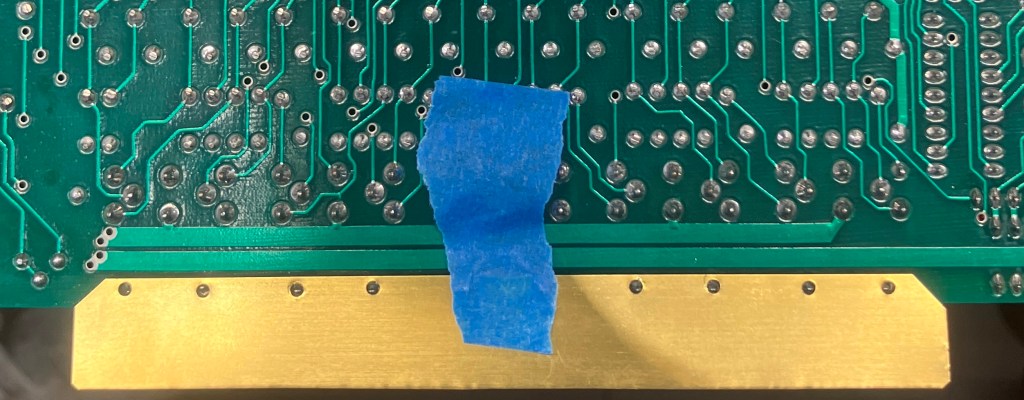
Brass strip ready to attach to the RC-96 shield ground pins. It is important to maintain separation from the adjacent power trace.
First, I drilled holes in the chassis, one for each connector opening about 0.2″ below the bottom of the opening. I modified the jig I originally used for the chassis construction which simplified the process. Well, not simplified, “made easier to get the desired result on the first try”. I also drilled the holes in the jig to match the PCB shield pin layout which were next used to drill matching holes in the brass strip. Finally, the brass strip is bent to a 90 degree angle using a couple of pieces of PCB scraps to form an in situ hand-brake.
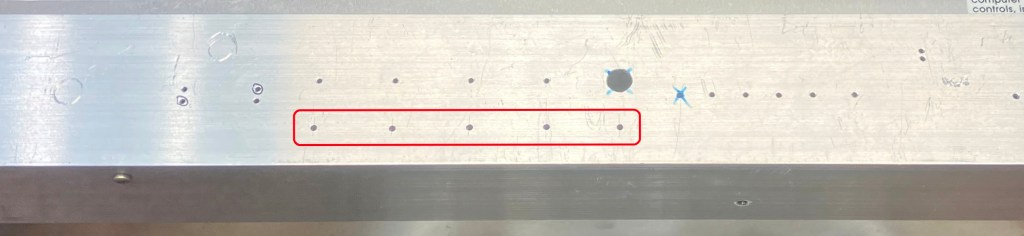
Chassis jig with new grounding holes (highlighted)
At this point, I have the brass angle attached to the RC-96 and the chassis holes are drilled (with pilot holes). The next step was to place the RC-96 into the chassis and transfer the hole locations to the brass angle with a fine-point Sharpie pen. The RC-96 is then removed (again), and the marked holes are drilled through the brass. The brass material is only 0.005″ thick, so it isn’t “foil” but it is close and so still requires care when drilling.
The last step is to solder brass nuts to the brass angle which are centered on the match-drilled holes. I decided on 2-56 size hardware for this application as they were small, but not too small, and available. I have used this technique many times with both brass and un-etched PCB material with very good results. I use a flat-head, stainless-steel screw to hold the nut in-place while it is soldered. The screw doesn’t easily accept tin-lead solder, and the flat-head style centers the nut on the hole while securing it firmly to the mating surface. Water-clean (weakly acidic) flux is the real miracle worker here.
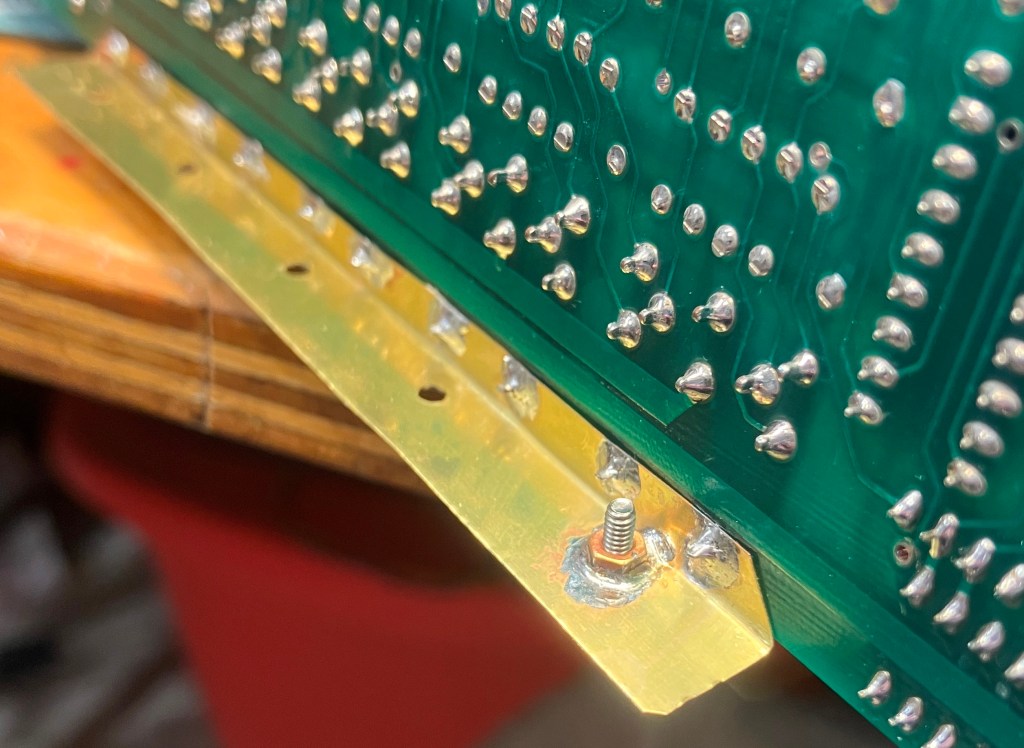
Attaching the nuts to the angle.
With the grounding strip attached and formed, all that is left is to finish drill the chassis holes and then re-install the RC-96 into the chassis (again).
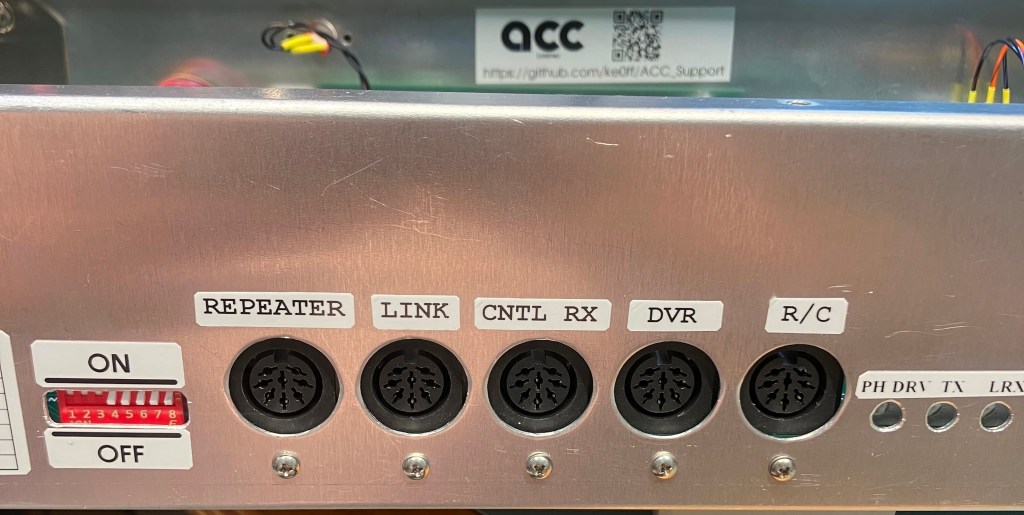
Re-finished DIN connector interface.
Now, back to our program…
“When last we left our intrepid delay board, things were going well. The delay was, er, delaying and the audio quality was good. However, dark clouds rolled in and the seas turned rough…”
In order to perform a design verification, I needed to accurately measure the delay for a given setting. The best way to do this is with a pulse that repeats with a period that is greater than the longest delay. A short burst of pulses would be even better. I thought about the delay software and how I was toggling a GPIO when I was first trying to get my feet wet with the STM32 timer interrupt. It would be easy to modify the existing software to produce a series of pulses at some multiple of the sample rate. 1KHz is a good all-around test frequency for voice-band audio, so I added a quick code block to toggle the LED GPIO at a 1KHz rate for 10 pulses with a repeat every 2 seconds.
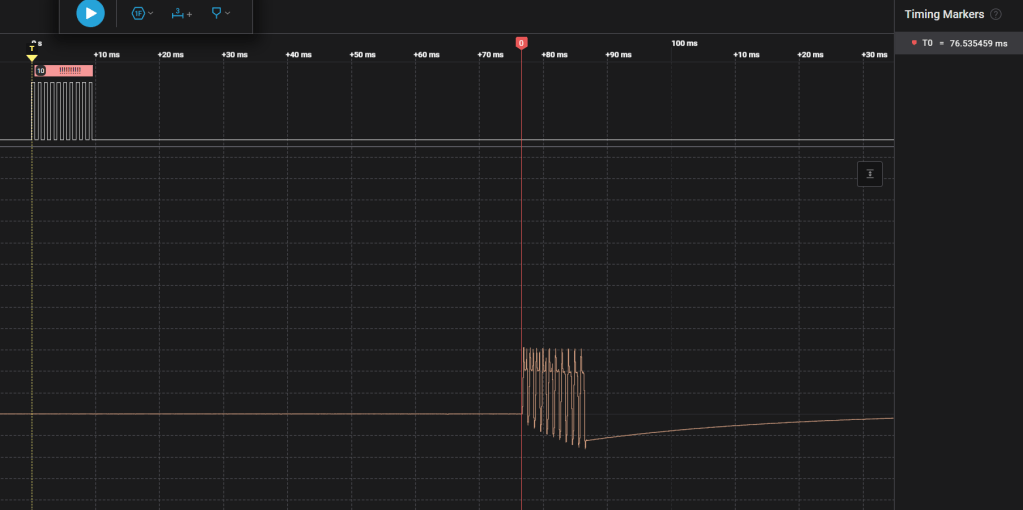
Logic Analyzer screen shot showing the “ping” (upper) and “response” (lower) pulses through the delay module. The fast edge rate of the source causes distortion in the response, but this is not of concern for this measurement.
I programmed this into the Nucleo and that became my test signal source. Using my Saleae logic analyzer, I could monitor the input and output and measure the delay with excellent precision. And the news was troubling. *Most* of the time, the delay was correct, but in the 128ms max delay mode (and even the 78.6ms ACC mode), the delay would occasionally be much longer than expected. Fascinating.
Pondering the conundrum, I remembered that I wasn’t really confident in my pointer calculation. After further consideration, I realized that this lack of confidence was well founded as there was an error in the logic. This error manifested in the delay modes where the max delay was less than the 2560 buffer allocation and was intermittent because the error would only express when the input pointer was in certain regions of the buffer space at the time of the calculation. Since the buffer pointer was constantly changing as audio samples were taken and stored, at any given time the pointer location would essentially be random against an operator adjusting the delay value, which is the reason for the intermittent appearance of the issue.
My original approach was to create a buffer array that was 2560 elements long to accommodate the longest specified delay. All of the other delay modes would use the entire buffer. I mean, it was THERE and ALLOCATED, why not use it? This complicates the delay calculation somewhat, and I quickly decided that it was just easier to limit the buffer rollover to the maximum size demanded my the current mode. This simplified the calculation and solved the problem. The array still has 2560 elements, but they just aren’t all used in the 128 ms and ACC delay modes.
“Just when you think that the worst is behind you, you look in the mirror… and see that the worst is gaining ground…”
Once the delay calculation issues were taken care of, I was sure that I was done and could celebrate as soon as I did a quick test in the RC-96. Famous last words…
A side note is timely at this point. The borrowed RC-96 and delay board (with thanks to Jeff, WN3A) had been lounging around the repeater-controller spa here in central Texas for some weeks. It wasn’t a bother, and Jeff wasn’t desperate for it, but it was no longer needed, so it was time to send it home. I boxed it up and off it went just before the PCBs arrived for the audio delay. The timing of this would turn out to haunt me in short order.
I made a cable to connect the ACC COS signal and immediately got a slap in the face:
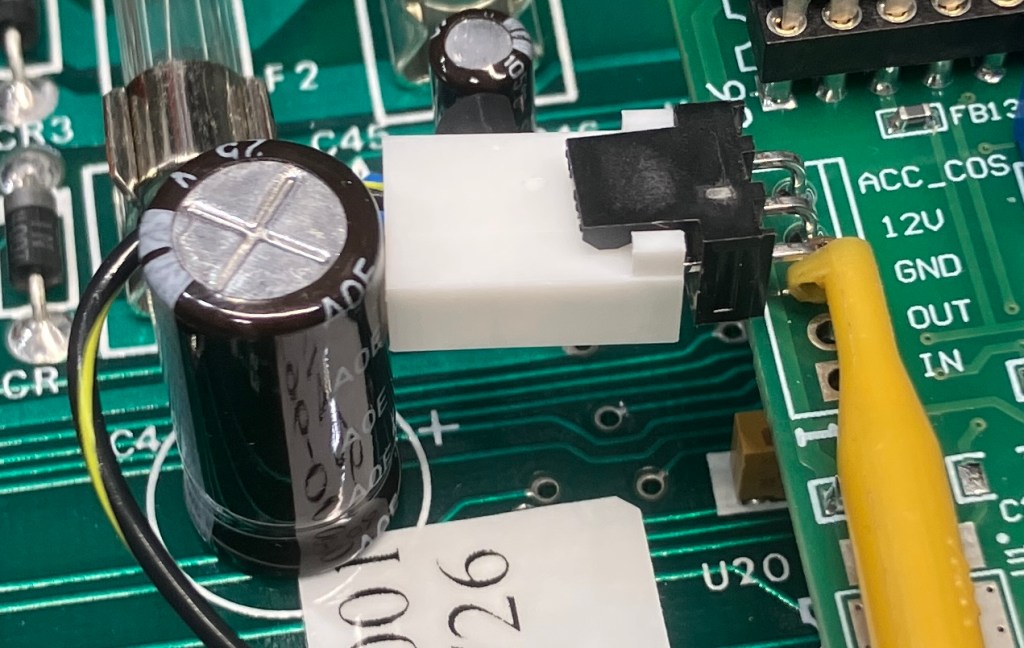
D’OH!!! Doesn’t really capture the moment. With some arm-wrestling, I could angle the PCB connector such that it might work, but the above image is bad enough with the capacitor I chose for the Last RC-96. As is evident from the silkscreen, ACC expected it to be a much larger diameter, so who can say if I could wrangle that into submission for all commers?
I could hard-wire the connection, which I briefly did for my development board. But that could go south pretty easily and doesn’t accommodate the RC-85 use-case. Ultimately, I decided on relocating the connector over to the J2 location on the other side of the board. There, I could capture the delay inhibit signal and GND. All it cost was a wire-wrap jumper that extended a few inches across the bottom of the PCB. Not great, but acceptable for the most part.
But this was just the beginning. Next, I found that the delay wasn’t working right with the RC-96. It turns out that there are two “faults” at play. One is with the logic sense of the COS_HI_TRUE jumper. The idea is, install the jumper for a high-true COS. However, I found that I had to REMOVE the jumper for high-true COS. ?!?!? This is just a slikscreen issue, but still.
Next was the enable from the RC-96. This is the signal that gates the 4053 that is removed from the RC-96 and re-installed on the delay board (this is the signal that is responsible for removing the DTMF “blips” from the audio chain to the repeater TX). It was also reversed. I went back to the delay board schematic and re-verified that I copied it correctly. Other than the fact that I got the diodes reversed (easily corrected), I could not see any difference between my circuit and the ACC version. This is where the regret set in over having just sent back the only ACC delay module I had available. Dangit!
At this point, I can only assume that there was some change that was made to the ACC design that was not reflected in their schematic (something that they seem to have a bit of a reputation for). Regardless of “why” (but WHYYYY?!?!?), I still needed to solve the issues.
There were a couple of options for each “fault”. I opted to replace the XOR gate for the 4053 audio-gate signal with an inverter (lifting pin 2 and jumpering to +5V was the other option). For the COS active jumper, I reversed the sense of the jumper to keep the silkscreen nomenclature accurate. This required several board mods but I didn’t have to resort to using a very small label with the correct nomenclature (the other option, which was likely to easily evaporate after a short time).
Oh, and the final insult was that I missed the ground connection for R5 (a pull-down resistor on delay switch position 4). The ground pour didn’t connect to it, and I didn’t do that one-last design rules check that you always have to run before making Gerber files for FAB. Even though the fix is a small jumper that you’d have to be looking for to find, it is the greatest insult of this design because I know better.
The Recap…
In spite of the issues, the design appears stable now, once the minor fixes are incorporated at build time. If I ever get close to needing more PCBs, I will just re-spin to fix the issues. I now also have a full-featured test jig so I can test all of the delay board features without need of a controller.
I did discover another issue, but again, it is an ACC-ism that I don’t have any countermeasure for at the moment. The issue is that there is an upper limit to the amount of delay you can have with the RC-96 (I haven’t tested this on the RC-85 yet, but I would expect it to have the same limitation). If you go beyond about 128 ms of delay, the trailing edge of the first DTMF entered will appear after it is released. This is because the RC-96 mutes, then unmutes the first digit, leaving an un-muted period between the first and second digits. After the 2nd digit, the mute remains until DTMF entry stops.
Realistically, no one should need that much delay, but it is worth noting the limitation. Perhaps that can be addressed in the re-spin some day.
As of this writing, this is what the module looks like installed in the Last RC-96:
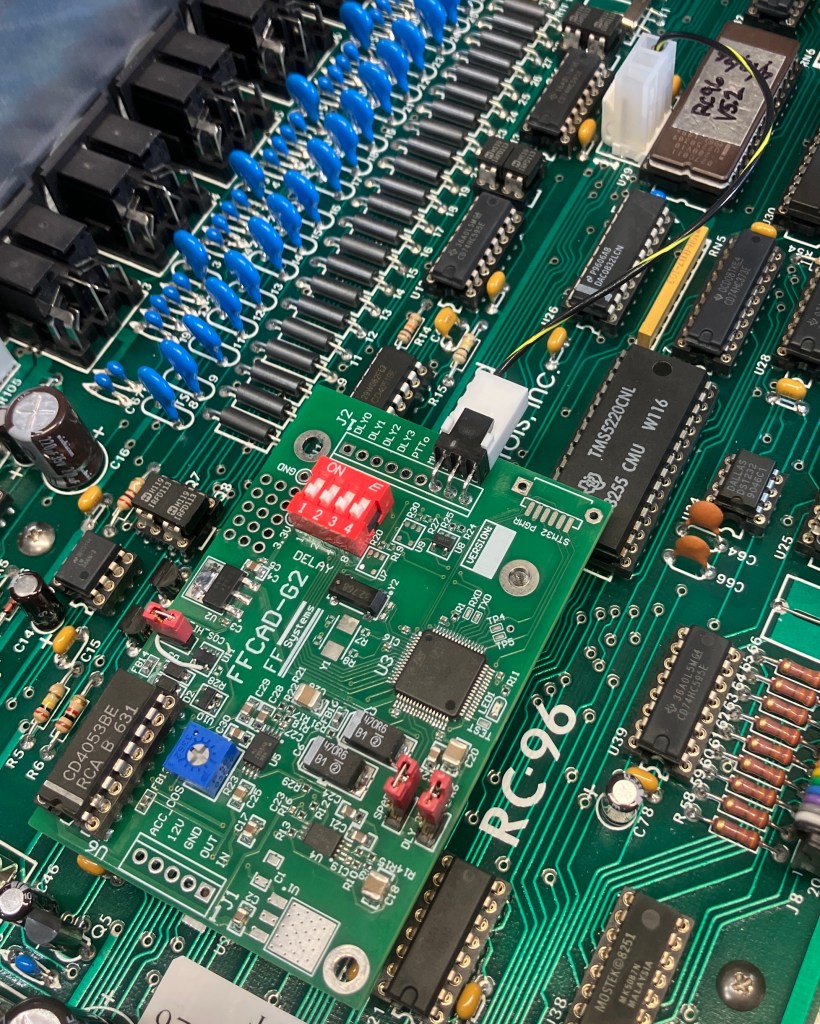
Oooh! It needs a QR code!
Time To Go…
All said and done, the delay appears to be performing as intended with excellent quality and flexibility. So, time to SHIPIT!!!
73, de ke0ff.


Leave a Reply