The ink wasn’t even dry on my “last” blog post when I found myself getting sucked back in! This time, it is for an audio delay clone. Cort wanted an ACC delay board, but those are scarce, as he has discovered. I was originally going to re-layout my FF-CAD design to mechanically match the ACC delay board, but I realized that I don’t have the schematic in viable form for CAD work anymore. I can re-enter it into my current system, but I only have a few parts to support the endeavor, so why not just revisit the whole design? There were a couple of folks online who have already expressed interest, so the effort here is for more than just this one controller instance.
Modern Wonders
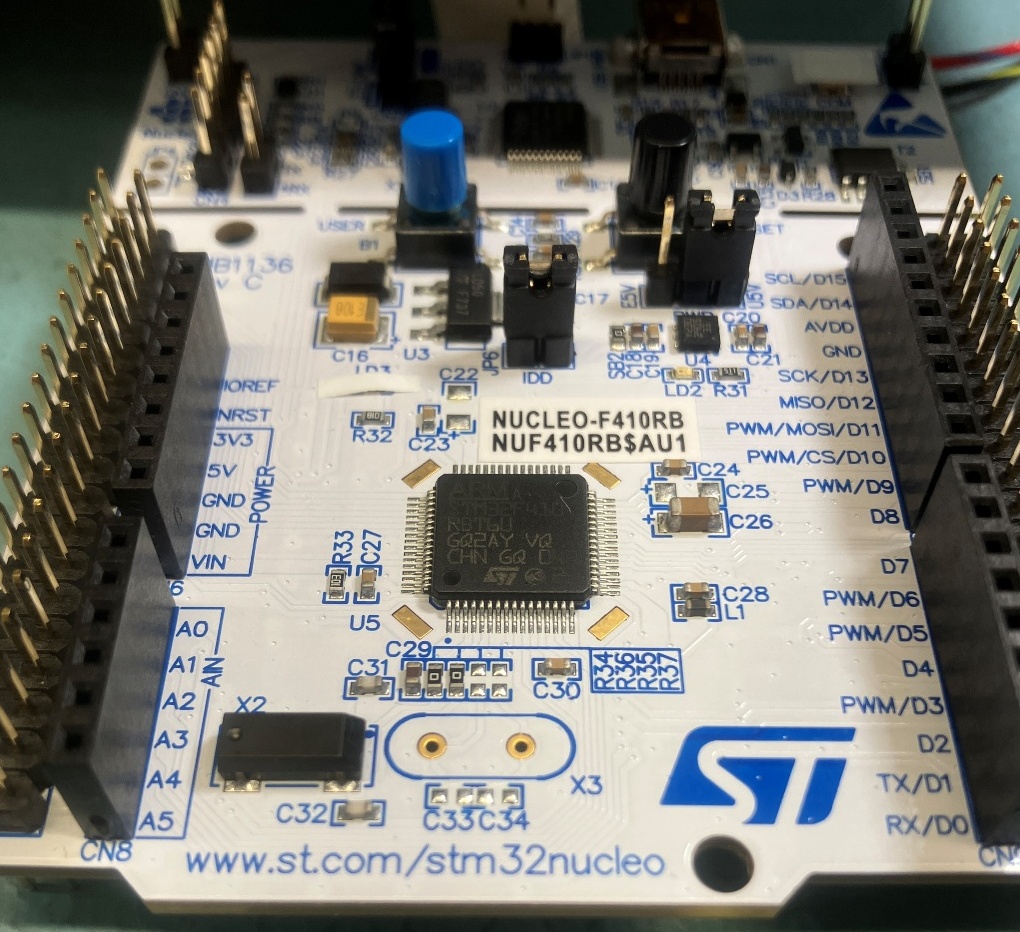
I have several CODEC IC’s for the original design, but the supply is finite, and their interface is a bit odd. An ADC/DAC/MCU (TLI time… TLI = Three Letter Acronym; ADC = Analog to Digital Converter; DAC = Digital to Analog Converter; and MCU = Micro-Controller Unit) approach can work… but wait! There are modern MCUs that have built-in ADC, DAC, and SRAM. Everything one needs save for audio filtering. I did some searching and found an STM32 part that had everything one might need to accomplish an audio delay function. With 12b ADC/DAC and 32K of SRAM, it is possible to produce a high-fidelity, 10KHz sample rate delay chain all inside the STM32 processor (all for less cost than one of my original CODEC ICs at 1993 prices, no less). So, I ordered an STM32 dev board and three STM32F410 MCUs:
I also needed development SW, so I downloaded the STMCubeIDE and the MXCube project configurator. After about a day of tinkering, I was able to produce an ISR (interrupt service routine) that was toggling a GPIO pin at 0.1ms period (the target sample rate):
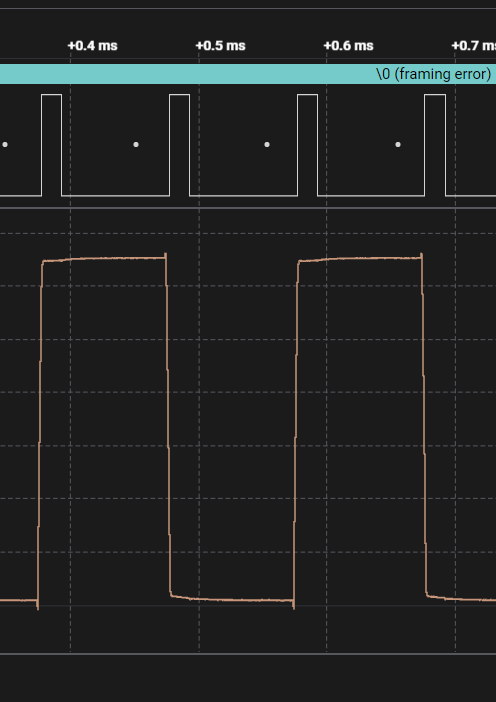
Not much, but an important step toward the end goal (ISRs can be a real headache to figure out in a new environment). After adding the ADC and DAC modules and connecting my “speaker-mic” I was able to send audio with delay through the lashup. “I said, WOO-HOO, Marge”…
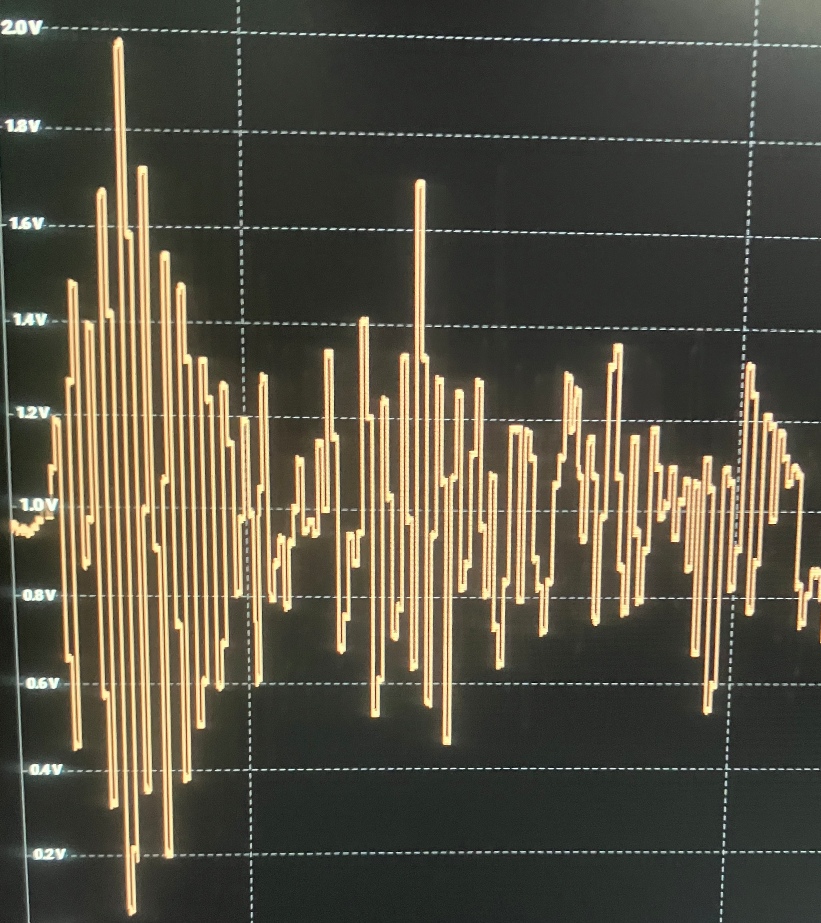
With that level of success, I was ready to commit to a PCB layout. I assigned the pins I would need and went to work on the schematic. I still have the borrowed RC-96 which has a delay module, so I used that to take measurements and place parts.
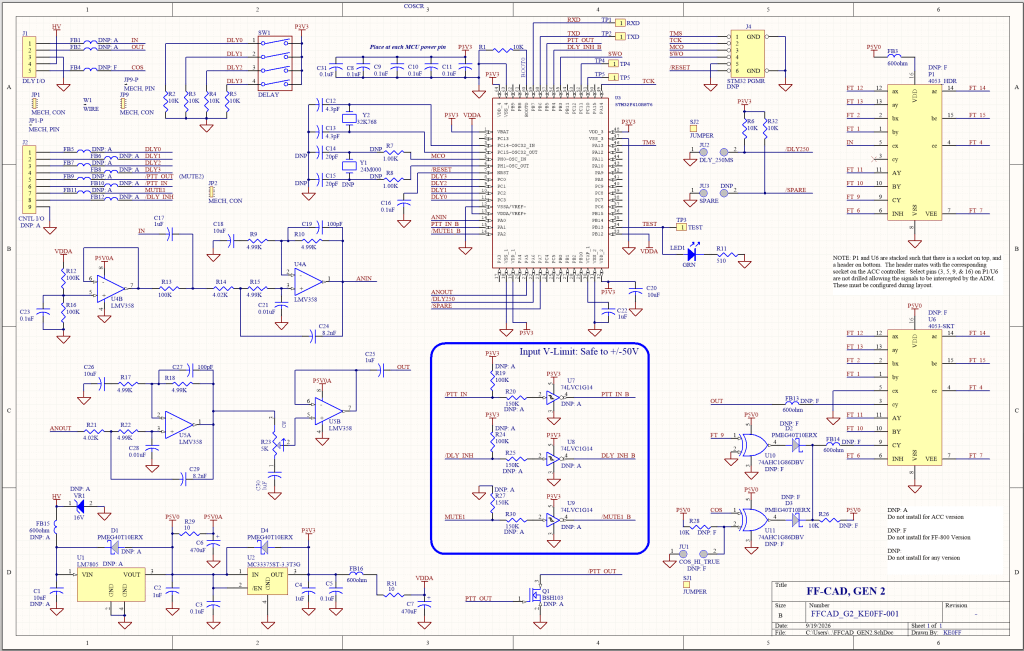
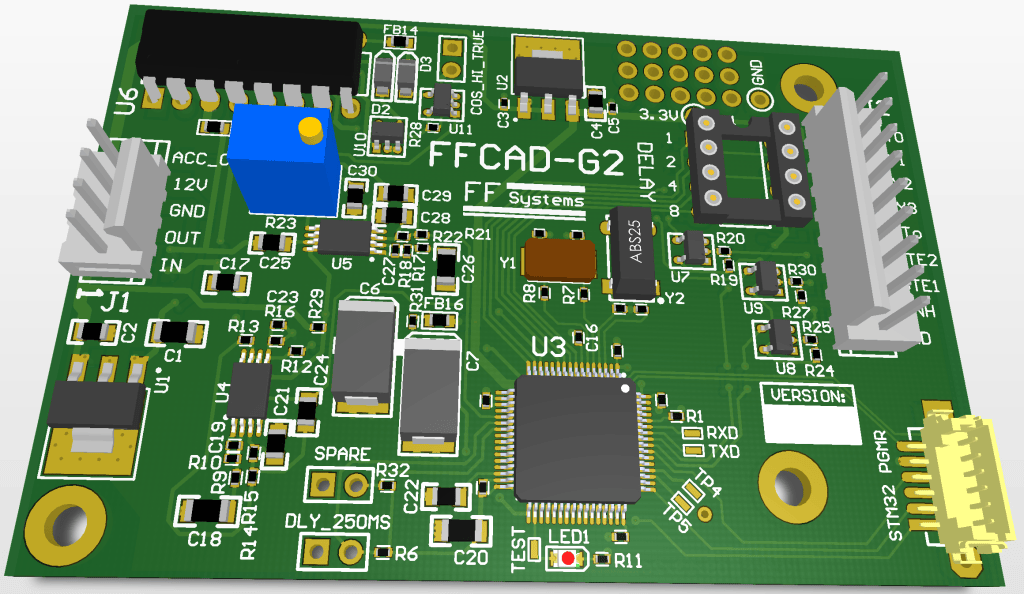
It can be a bit hard to put the above into perspective. The PCB is the same size as the ACC ADM board, which is just a smidge smaller than a business card. The U6 socket in the above image is the 4053 (U9 on the RC-96) into which the delay module installs. An extra cable brings in 12Vdc power, COS, and a clock to drive the CCD delay line for the ACC version. For this version, only the COS signal is needed.
Again, we wait…
While waiting for the PCBs to arrive, I worked on finalizing the software. For the ACC version (I will code a slightly different version for the FF-800/Generic Controller model), I wanted to support the variable delay and the delay inhibit features. 500ms of delay (my original target) was really too much delay, so I decided to use the DLY_250MS jumper to select between 250ms max delay and 125 ms (in truth, the delays are 256 and 128 ms to make them an integer power of two in size). I also decided to use the SPARE jumper to configure an ACC mode which has a fixed 75 ms (76.8 ms) delay (matching the ACC original) and disabling the variable delay and delay inhibit inputs.
The delay setting is via a 4-bit binary input to the MCU. Provisions for a DIP switch or wire straps is provided. A small prototyping area can accommodate a rotary switch. Over the years I have been frustrated by the rotary types. It seems like about every time I would go to order some, they were more expensive than the last time and would often be obsolete or be out of stock. This would cause me to have to either re-layout the PCB or come up with a hack to fit the new switch (the new switch footprints never matched the old ones). So, I threw in the towel and if someone wants a rotary switch, it can get hacked in just like I’d had to do for many of the past builds anyway.
The delay inhibit can confuse some folks. It is not a mute signal but rather is used to force the delay to 0. This allows one to connect a user-function output to the delay board and eliminate the delay on command if desired.
The UART is used to send a reset banner with the version/copyright message at power-on. It is not strictly needed, but it costs nothing and carries software © & version history that would be difficult to scribble out onto the PCB. Connecting a TTL serial port adapter to the TXD pad and opening a 115200 baud terminal emulator allows one to view the message.
This is a gander of the bulk of the code that makes up the delay application. First, the main loop:
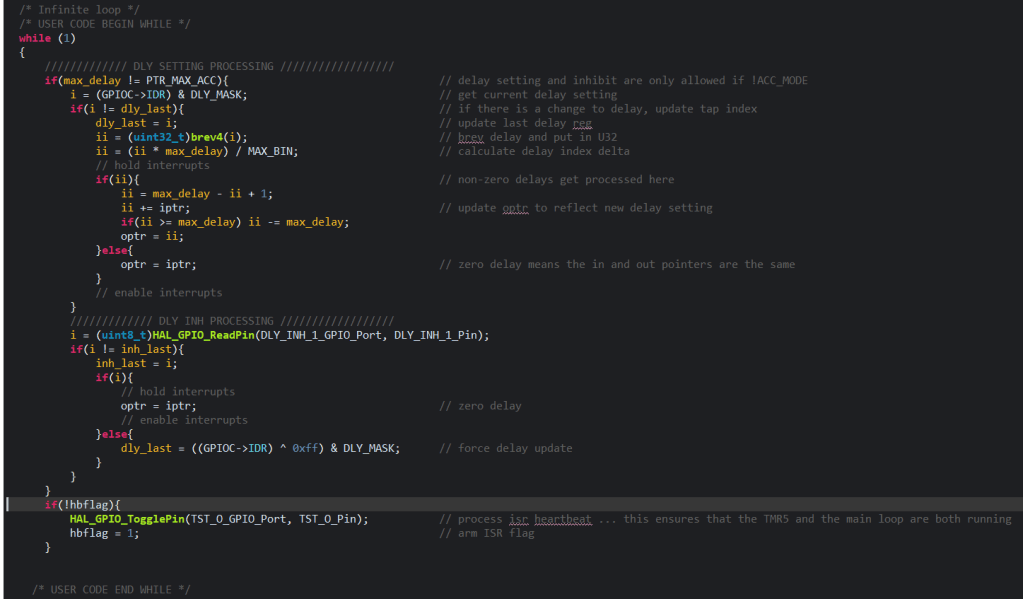
This loop just checks for changes in the binary delay setting and inhibit signals. If there is a change, the code adjusts the audio array pointers accordingly.
The timer interrupt is where the delay “happens” and it is just a few lines that run every 100 us (10KHz sample rate):
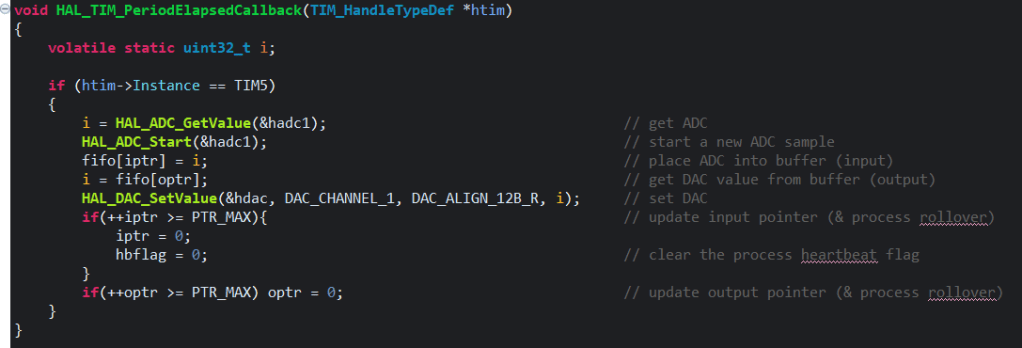
The code and PCB design files are on my github repo: ACC_Support/FFCAD_FOLDER at main · ke0ff/ACC_Support
MAN DOWN!!!
The path to the present was not without difficulty. When connecting the DEV board to my speaker-mic, I “glitched” a bit and touched clip lead for the DAC output to +12V, which was on the adjacent pin of the speaker mic connector. It was just a quick “touch”, but it was more than enough to crater the dev board MCU.
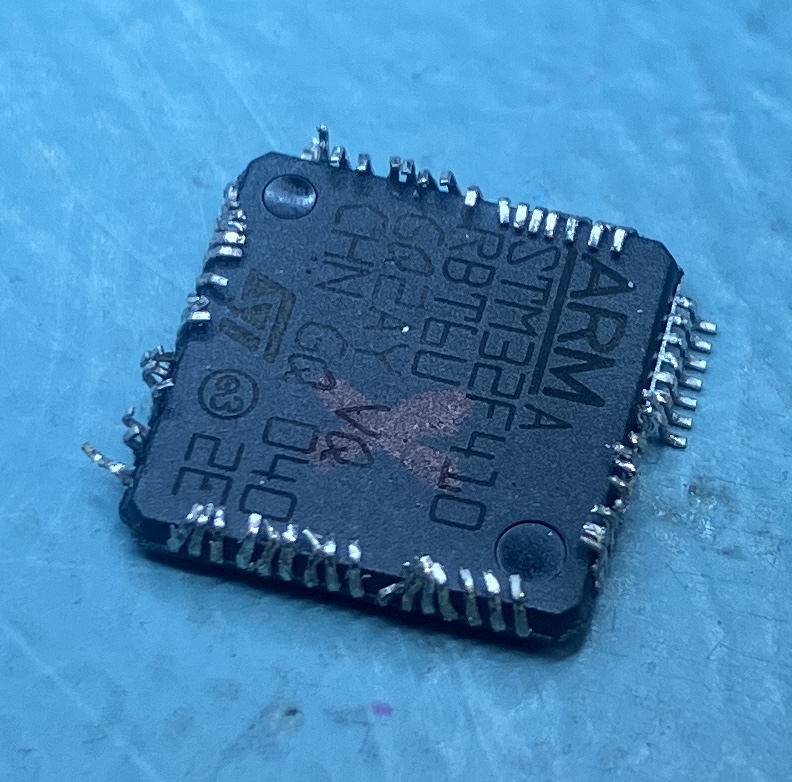
Fortunately, I had ordered 3 processors, so it was relatively easy to extract the dead chip and replace it. Since I knew it was dead, I didn’t care about the condition of the leads, as is clear from the above photo. The PCB pads ended up in a lot better shape than the IC, BTW. Luckily, the damage was localized to the target MCU, so the rest of the DEV board was still operational. After that, I made a short cable to better “contain” the connections so that I didn’t have to repeat the chip replacement a second time.
Building a Device Programmer from nuttn’…
There is a whole industry out there just waiting to sell you (at no small cost) a USB dongle to allow for debug and programming the processor of your choice. Most dev-boards (Nucleo included) come with them built-in. Thing is, they can program processors OTHER than the one on the dev board, with a little tweaking. Some need more tweaking that others. In this case, I needed to break the JTAG-like connection between the USB programmer MCU and the target MCU on the Nucleo board – 5 connections in all. Two of these already had jumpers (at CN2) and there was a 6-pin header that had most of the needed signals routed to it. I am gambling that I don’t need to separate RESET, so that means I only needed 2 extra jumpers. I squeezed them into a couple of the slots on the Nucleo board:
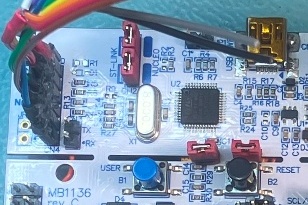
The red shunts in the lower right of the photo (next to the RESET button) are the new ones. A few jumper-wires on the back side to finish the job:
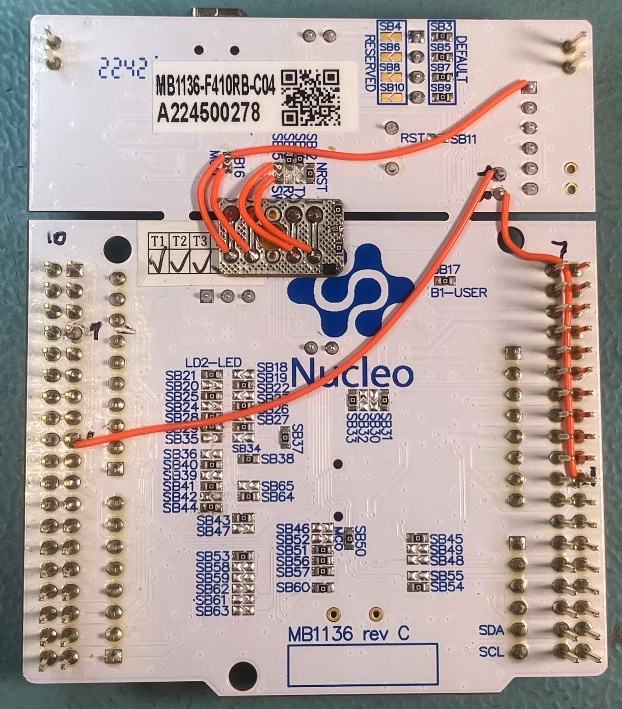
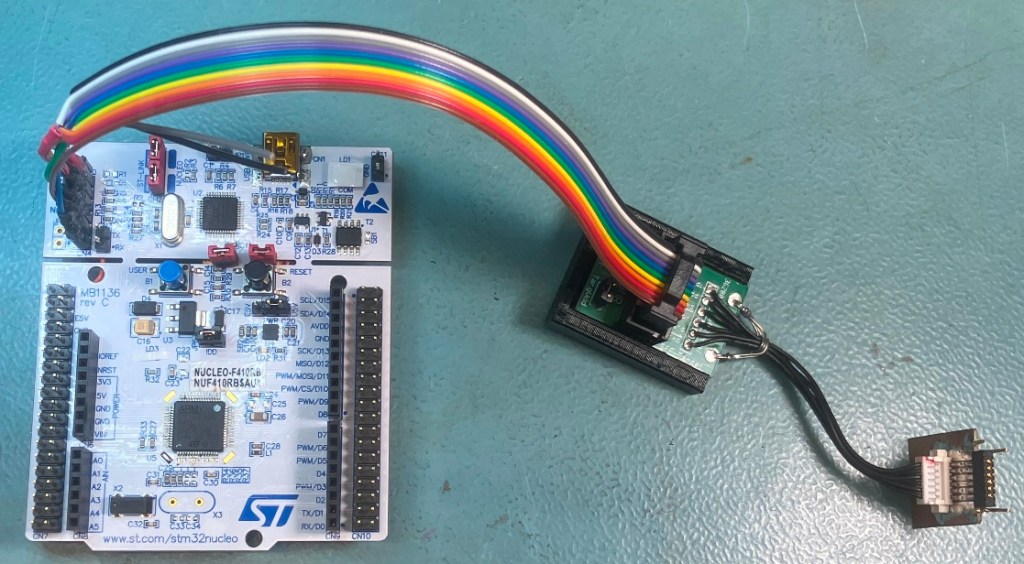
And a ribbon cable to adapt my “standard” programming connector stack (shown in the right half of the following photo) to the 6 pin SIP connector (CN4) on the Nucleo:
Still waiting (for the PCBs)…
And now, number 3, the larch… The, LARCH…
Quite unexpectedly, the PCBs arrived on a Sunday afternoon. I’m not complaining, but I was a bit surprised considering I was bird-dogging the tracking web site up until Friday evening. I had ordered (and received) the parts needed late in the previous week and just had to get everything brought together for assembly. I hand assemble my boards (almost always) and this was no exception. It took a couple of hours and netted something that largely resembled the 3D render I’d gotten so used to viewing.
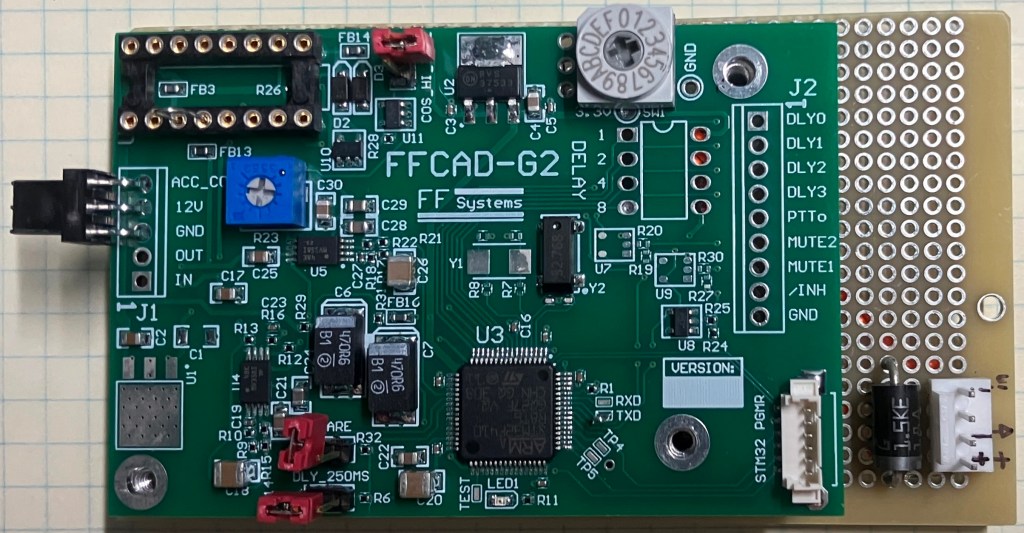
This is a top view with the module installed on the test/assembly jig. The rotary switch was hand-wired to the delay pins. I also populated a PGMR connector as this makes life easier for development where programming operations might require several software iterations. The test-jig is a small proto-board that has an RC-96 U9 target socket and standoffs to match the delay module. This allows the 16-pin DIP mezzanine header to be precisely aligned for soldering and also serves as a stable testbed for development testing and initial device programming.
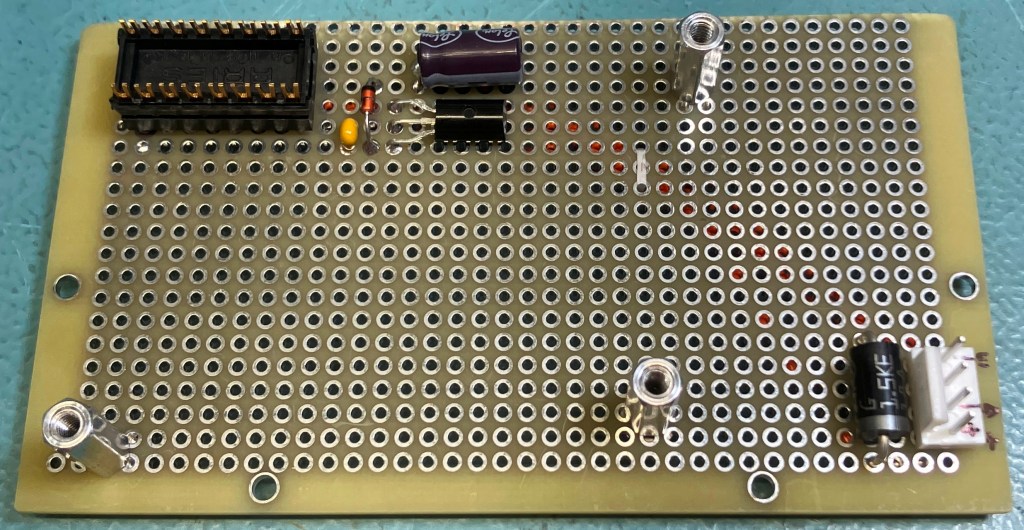
I used a 4-pin test connector that matches my FF-CAD pinout along with a 5V regulator to provide 5V to the module (the ACC version operates on 5V from the U9 socket). This is a photo of the major pieces:
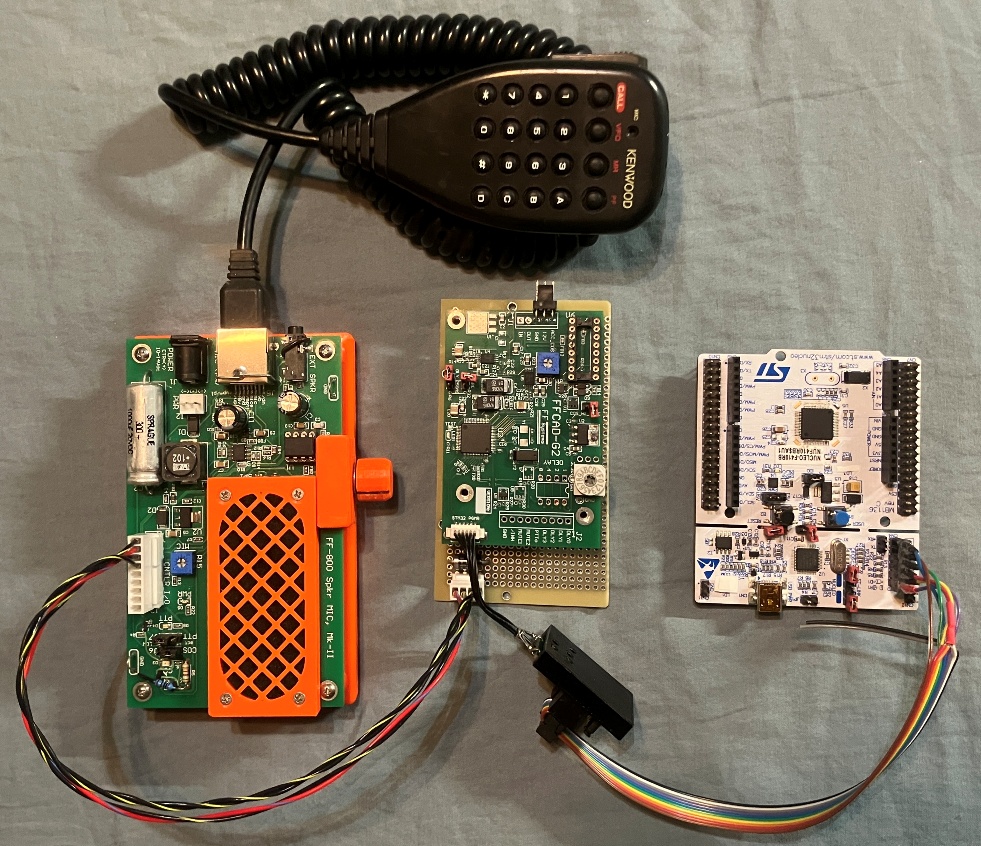
My “speaker-mic” test transceiver on the left serves as the audio source and playback amp. The Nucleo dev board is on the right and it is configured for external device programming. Center stage is the delay module and test-jig. I soldered a test-loop onto the “TXD” test point and connected it to the Nucelo RX pin (not shown) to allow the debug com port to have access to the target device serial messages.
The speaker-mic provides 12V, audio in, and audio out to the test-jig. The ribbon cable connects the programming port to the delay board. Not shown is power for the speaker mic and the USB cable to connect the Nucleo to the PC.
Ready? GO! Set?
All that was left was to apply power and initiate a programming operation from the STM32 IDE. Next thing I knew, the device was programmed and running… and it worked! I tested the delay settings and jumper options. All worked as expected. A bit anti-climactic, I suppose, but a victory by any definition.
Once More to the Breech, LADS!
True to form, this is not the last installment. I still need to do some verification testing on the delay software, test it on the RC-96, and create some 3D prints to support the mechanical aspects of the delay board. Also, while waiting for the PCBs I modified the RC-96 chassis to provide a short-path ground for the DIN connector shields. All that (and MORE?!) in the next installment…


Leave a Reply